
How to Build a Store Locator in HubSpot That Captures Leads

How to Build a Store Locator in HubSpot That Captures Leads, Not Just Locations?
Most store locators are just directories. A buyer with real intent clicks “Find a Dealer,” sees an address, and leaves without ever entering your CRM. That means one of your highest-intent moments disappears from view.
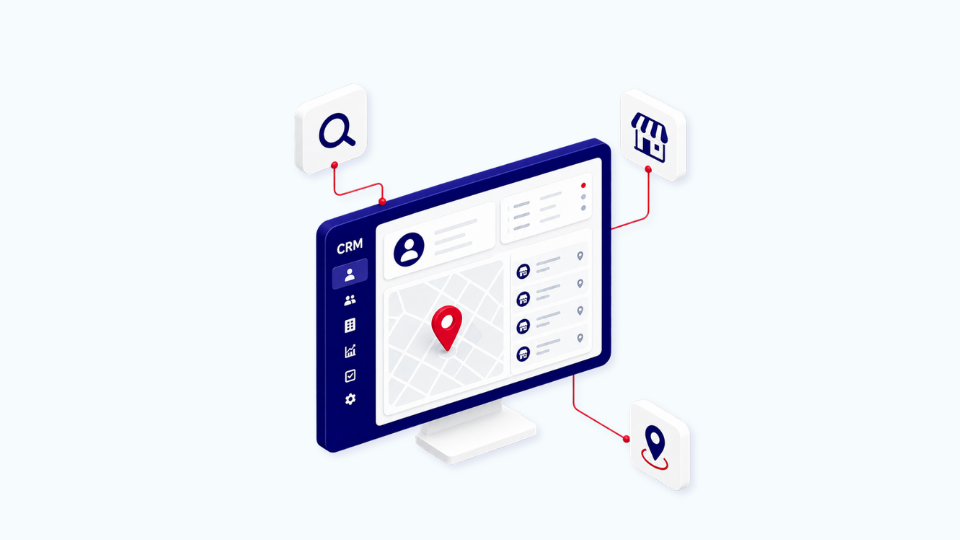
A HubSpot-powered store locator changes that. Instead of sending traffic to a static list or third-party locator, you can turn the search itself into a lead capture flow: collect the buyer’s location, rank the nearest partners, create a contact in HubSpot, and route the opportunity to the right dealer or branch automatically.
ON THIS PAGE
- Why most store locators leak leads
- The architecture that turns a locator into a lead engine
- Example: Bosch Rexroth
- Where this applies in your business
- Three questions to assess your current locator
- FAQ
Why most store locators leak leads
Your website may have a “Find a Dealer” or “Find a Partner” page, but in many cases it does not behave like a conversion point. Visitors search for a nearby location, get the information they need, and leave your site without leaving a trace in your CRM. The result is a silent loss of demand at exactly the moment intent is highest.
This is the default state in many B2B partner programs. Partner data lives in spreadsheets, the locator sits outside the CRM, and no one can connect location searches to pipeline impact. If you cannot see who searched, what they needed, and which partner they were routed to, you are losing attribution and lead control.
The architecture that turns a locator into a lead engine
A HubSpot store locator is not a standard out-of-the-box feature. It is a custom architecture built from four parts that work together inside your CRM.
A HubSpot store locator is not a standard out-of-the-box feature. It is a custom architecture built from four parts that work together inside your CRM.
- Partners as custom objects in HubSpot.
Each dealer, reseller, branch, or service location becomes a structured record with address, GPS coordinates, and relevant capabilities. That gives you one clean source of truth instead of a spreadsheet. - A form on your website with embedded logic.
The visitor enters a postal code and selects what they need. The experience stays on your site, which keeps the buyer in your conversion flow. - Real-time distance calculation via the Google Maps API.
On submission, the system calculates the closest partner based on postal code and coordinates, then returns the best matches in ranked order on a map. - Contact and deal creation in HubSpot.
The search submission creates a contact record, and a deal is created and assigned to the closest qualified partner. From there, the partner can work the opportunity through a dedicated portal while visibility stays in HubSpot.
Together, these steps turn a static directory into a closed-loop lead capture system.
Example: Bosch Rexroth
Bosch Rexroth, needed to replace a disconnected dealer directory with a HubSpot-based solution that could support a large European partner network. Their previous setup was not connected to HubSpot, so partner searches happened outside the CRM and lead visibility was lost.
Elixir Solutions built and implemented the locator as a reusable architecture. The first rollout went live for the French and Italian subsidiaries in three languages: French, Italian, and English. From there, the same logic, custom objects, and Google Maps integration can be reused across additional markets.
The key advantage is not just that the locator works. It is that the same build can support multiple countries without rebuilding the underlying CRM logic each time.
Where this applies in your business
This pattern fits any company that sells through a distributed network. It is especially relevant for:
- Industrial manufacturers working with dealers or distributors.
- Equipment vendors with authorized service partners.
- Insurance or financial services groups with broker networks.
- Franchise businesses with regional outlets.
- Healthcare or wellness brands with affiliated practitioners.
If buyers use your “Find a Partner” page to make a decision, that page should not behave like a dead end. It should capture intent, qualify demand, and route it into your CRM.
Three checks to assess your current locator
Ask yourself these three questions about your current partner network setup:
- Is partner data stored in HubSpot, or still maintained in a spreadsheet?
- When someone searches for a partner, do you capture them as a lead, or do they leave your funnel?
- Does the request reach the right partner automatically, or does someone assign it manually?
If you answer “no” to two of the three, your locator is probably leaking leads.
FAQ
Does HubSpot have a native store locator feature?
No. HubSpot does not include a store locator out of the box. A working locator requires custom development on top of HubSpot, including custom objects for partners, custom forms with map integration, and a connection to a maps API like Google Maps. The architecture is reusable across implementations.
Why use the Google Maps API instead of a third-party store locator app?
A third-party app stores your partner data outside HubSpot and creates a sync problem. Building on the Google Maps API directly keeps your partners as HubSpot custom objects, your leads as HubSpot contacts, and your full pipeline visible in one system. You also avoid recurring per-locator licensing fees common with locator SaaS tools.
How long does this kind of build take?
A first build typically takes a few weeks of custom development depending on complexity, partner data volume, and how many countries or languages are required. Once the architecture is built, deploying to additional countries is faster because the logic and HubSpot structure are already in place.
What HubSpot subscription level is required?
Custom objects require Enterprise tier (Marketing Hub Enterprise, Sales Hub Enterprise, or Service Hub Enterprise). Custom code workflows for the latitude and longitude assignment require Operations Hub Professional or higher. Verify your current subscription before scoping a build.
Can the locator be deployed across multiple countries and languages?
Yes. Because the logic is based on GPS coordinates and HubSpot properties rather than country-specific configuration, the same architecture supports multi-language and multi-country rollouts. The form labels and content translate. The underlying data model stays the same.
If your partner network is generating demand but not capturing it, the locator itself may be the problem. A HubSpot-based store locator can turn that lost traffic into tracked leads, routed deals, and measurable partner pipeline


