
HubSpot Field Service App: Give Speed & Visibility to Your Team

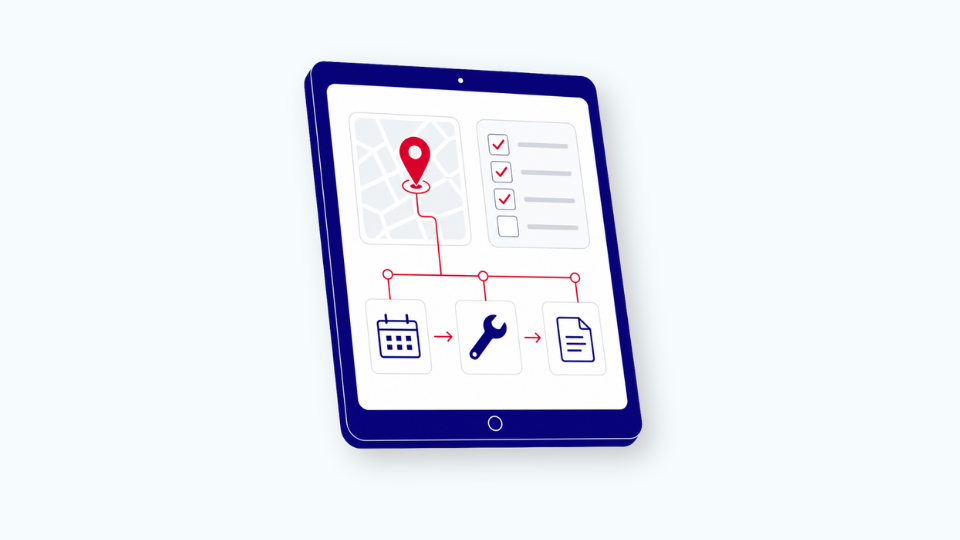
Your field technicians work from paper forms. Or outdated mobile apps that crash. Or spreadsheets printed the night before.
They arrive at customer sites without full context. They call the office for equipment specifications. They write notes by hand, then re-enter them into systems at the end of the day. They miss upsell opportunities because they don't know the customer's purchase history or budget authority.
This costs you time, revenue, and customer satisfaction.
The problem gets worse in typical field conditions:
- Factory basements
- Parking garages
- Rural installation sites
- Anywhere connectivity drops
ON THIS PAGE
- The Cost of Disconnected Field Operations
- What Field Service Operations Require
- Why We Built the Field Service App
- How the Field Service App Works
- The Revenue Impact
- Getting Started
The Cost of Disconnected Field Operations
Your back office has complete customer visibility:
- Service history
- Support tickets
- Account status
- Contact information
Your ERP system has equipment data:
- Serial numbers
- Installation dates
- Warranty periods
- Parts inventory
- Maintenance schedules
Your field technicians have neither. They piece together information from multiple sources before each visit. They call the office during visits. They document work on paper and hope nothing gets lost.
This creates three problems
1. Service quality varies by technician Experienced technicians know what to check. New hires don't. Without guided procedures, consistency depends on individual memory and training.
2. You miss revenue Technicians see upgrade opportunities on site. Customers ask about replacements. Without access to customer history and pricing, technicians say "I'll have someone call you." The moment passes. Customers get distracted. Competitors quote the replacement three months later.
3. Your back office works harder
- Re-entering data
- Chasing technicians for missing information
- Processing service reports manually
- Ordering spare parts reactively instead of proactively
- Manual planning and scheduling
What Field Service Operations Require
We implement field service solutions for manufacturers and service organizations. The requirements follow a consistent pattern across industries.
Before the visit: Intelligent scheduling
Effective scheduling begins by distinguishing between two primary types of visits, as this determines the timeline and urgency of the dispatch:
- Preventive Maintenance: Scheduled well in advance to ensure equipment longevity and compliance. These are proactive, predictable, and form the backbone of a technician's long-term calendar.
- Corrective Maintenance: Managed ad hoc in response to unexpected issues or equipment failure. These require immediate, reactive planning to minimize customer downtime.
Once the visit type is established, your dispatcher then optimizes the assignment based on a multi-factor intelligence model:
- Customer Priority: Ensuring high-value SLAs are met first.
- Technician Skills: Matching the specific expertise required for the fix.
- Ticket Urgency: Prioritizing critical failures over minor issues.
- Geographic Routing: Minimizing travel time and fuel costs.
- Equipment Type: Ensuring the technician has the right parts and tools for the specific machine.
Business value: The right technician arrives at the right job. Fewer repeat visits. More jobs completed per day. Your best customers get priority service.
During the visit: Guided procedures
Your technicians follow structured workflows:
- Step-by-step checklists for each equipment type
- Required documentation at each stage
- Photo capture with annotations
- Time and materials tracking
Business value: Consistent service quality across your entire team. Faster onboarding for new technicians. Complete documentation without relying on individual memory. Reduced errors and callbacks.
This applies to both maintenance types:
|
Preventive maintenance |
Corrective maintenance |
|
|
After the visit: Automatic processing
Service records sync to your back-office systems automatically:
- Equipment status updates in your ERP
- Follow-up tickets create themselves in your CRM
- Spare parts orders trigger from the field
- Customer feedback gets captured while the experience is fresh
Business value: Faster invoicing or cost allocation. Accurate inventory. Actionable feedback. Management visibility into field operations without chasing technicians for reports.
Why We Built the Field Service App
HubSpot Service Hub handles desk-based service operations well. Ticketing. Customer communication. Knowledge bases. Support workflows.
Field service requires additional capabilities:
- Offline operation
- ERP integration
- Industry-specific workflows
- Mobile interfaces designed for technicians wearing gloves in tight spaces
Where generic field service apps fall short
|
Challenge |
Impact |
|
Limited offline functionality |
When connectivity drops completely, technicians lose access to customer and equipment data |
|
Minimal HubSpot with ERP integration |
Technicians still call the office for equipment specs, parts availability, and installation history |
|
Fixed workflows |
Generic processes that don't match your industry requirements |
|
No guided procedures |
They capture data but don't guide technicians through each step |
We built the Field Service App to address these gaps. It connects your technicians to both HubSpot and your ERP system with full offline operation and industry-specific workflows.
How the Field Service App Works
Complete offline functionality
-
Not caching. Full operation without connectivity.
-
Technicians access all customer data, equipment specifications, and service history.
-
They document work, track time and materials, and create quotes.
-
Everything syncs automatically when connectivity returns.
Deep ERP integration
We specialize in connecting HubSpot to SAP and other enterprise ERP systems:
- Equipment master data
- Installed base records
- Parts inventory
- Maintenance schedules
All accessible in the mobile app with real-time sync.
Guided procedures
Dynamic & Modular Workflows:
Rather than rigid, one-size-fits-all checklists, our solution offers modular guided procedures that adapt to the specific complexities of the job.
- Adaptive Workflows: The app dynamically adjusts step-by-step instructions based on the service type, equipment model, or real-time site conditions.
- Modular Architecture: Easily swap or update specific procedure modules without overhauling the entire system, allowing your operations to stay agile as technology evolves.
- Knowledge Parity: By embedding institutional knowledge into flexible digital flows, new hires can execute complex tasks with the same precision as seasoned veterans.
- Live Documentation: Data capture is integrated directly into the workflow. Because the app is intuitive and responsive, documentation happens naturally during the task, ensuring 100% accuracy without the "after-hours" paperwork burden.
Industry-specific customization
- HVAC service needs different documentation than elevator maintenance
- Medical equipment requires regulatory compliance tracking
- Industrial machinery needs detailed parts catalogs
We configure workflows to match how your service operations work.
Interface designed for field conditions
- Large touch targets for gloved hands
- High contrast for outdoor visibility
- Streamlined data entry
- Photo capture with annotations
- Digital signature collection
Full HubSpot integration
Everything syncs back to your HubSpot Service Hub:
- Service records
- Customer interactions
- Follow-up tickets
- Captured upsell opportunities
- Company details
- Customer details
- Installed-base products (e.g. machines)
Your back office maintains complete visibility into field operations.
The Revenue Impact
Service directors focus on efficiency gains. Eliminating duplicate data entry. Reducing administrative time. Faster service completion.
The bigger financial impact comes from revenue capture.
Example: On-site quoting
Imagine the situation: You’re a technician services packaging equipment at a food manufacturer. You notice performance degradation, indicating replacement within 6-12 months. Customer asks about options. This is what could happen with:
|
Disconnected systems |
Connected systems |
|
"I'll have someone call you" |
Technician accesses customer purchasing history |
|
Moment passes |
Creates quote on-site |
|
Customer gets distracted |
Schedules follow-up while customer sees the problem |
|
Competitor quotes replacement 3 months later |
Conversion rate jumps because timing aligns with customer awareness |
The timing matters. Customers make decisions while looking at the problem. Not days later during a follow-up call.
Additional revenue sources
- More billable hours: Faster service completion means more jobs per technician
- Fewer callbacks: Guided procedures reduce errors and repeat visits
- No second trips: Accurate spare parts ordering prevents return visits
- Higher renewal rates: Service contract conversations during maintenance visits convert better than delayed phone calls
Getting Started
The Field Service App is available on the HubSpot marketplace as a standalone solution. Standard field service functionality with immediate deployment.
The advantage: Our internal development team built the app. If you need adaptation, we control the codebase and modify processes, screens, and data models to match your business processes.
Start with the standard app. Add customization as your needs evolve. No vendor dependencies or feature request queues.
Deployment options
|
Option |
Timeline |
Investment |
|
Standard deployment |
3-4 days |
€60 per user per month plus setup project |
|
Basic customization |
2-3 weeks |
Custom quote |
|
Specialized compliance tracking |
Additional time |
Custom quote |
Standard deployment assumes your processes match standard patterns: job scheduling, time tracking, parts documentation, photos, and signatures.
Optimizing Your Field Service Assessment
Mapping your technical landscape early is critical for a smooth rollout. We assist our clients in navigating this process by focusing on three core assessment pillars:
- System & Data Ecosystem: We help you identify which systems (CRM, ERP, or legacy databases) house the critical data your technicians need in the field. Identifying these integration points early prevents data silos.
- Operational Resilience: We evaluate your typical work environments, specifically connectivity challenges and industry-specific compliance workflows, to ensure the solution performs reliably under real-world pressure.
- Strategic ERP & CRM Alignment: Integration with enterprise platforms like SAP or HubSpot Service Hub shouldn't be an afterthought. We provide the expertise to align these platforms during the initial planning phase, avoiding the high costs and delays associated with post-implementation add-ons.
By addressing these three areas upfront, we ensure your field service operations are integrated, scalable, and cost-effective from day one.
Ready to connect your field operations?
Fill in our contact form to schedule a technical assessment. We'll discuss your field service requirements and integration complexity, and determine whether our standard app or a customized approach fits your needs.

